

0
1
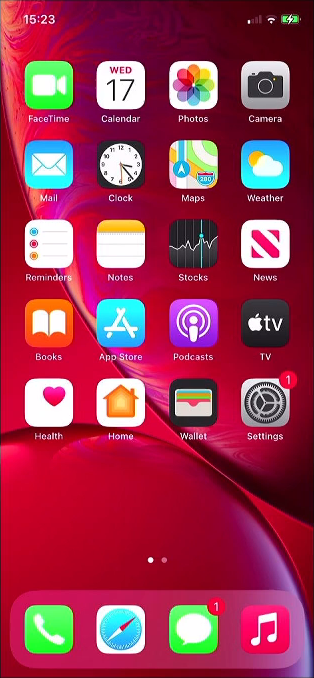
Open Settings
Click on the settings icon. This is the grey “cogs” icon, shown here in the lower right corner, it may be in a different place on your device.
0
2
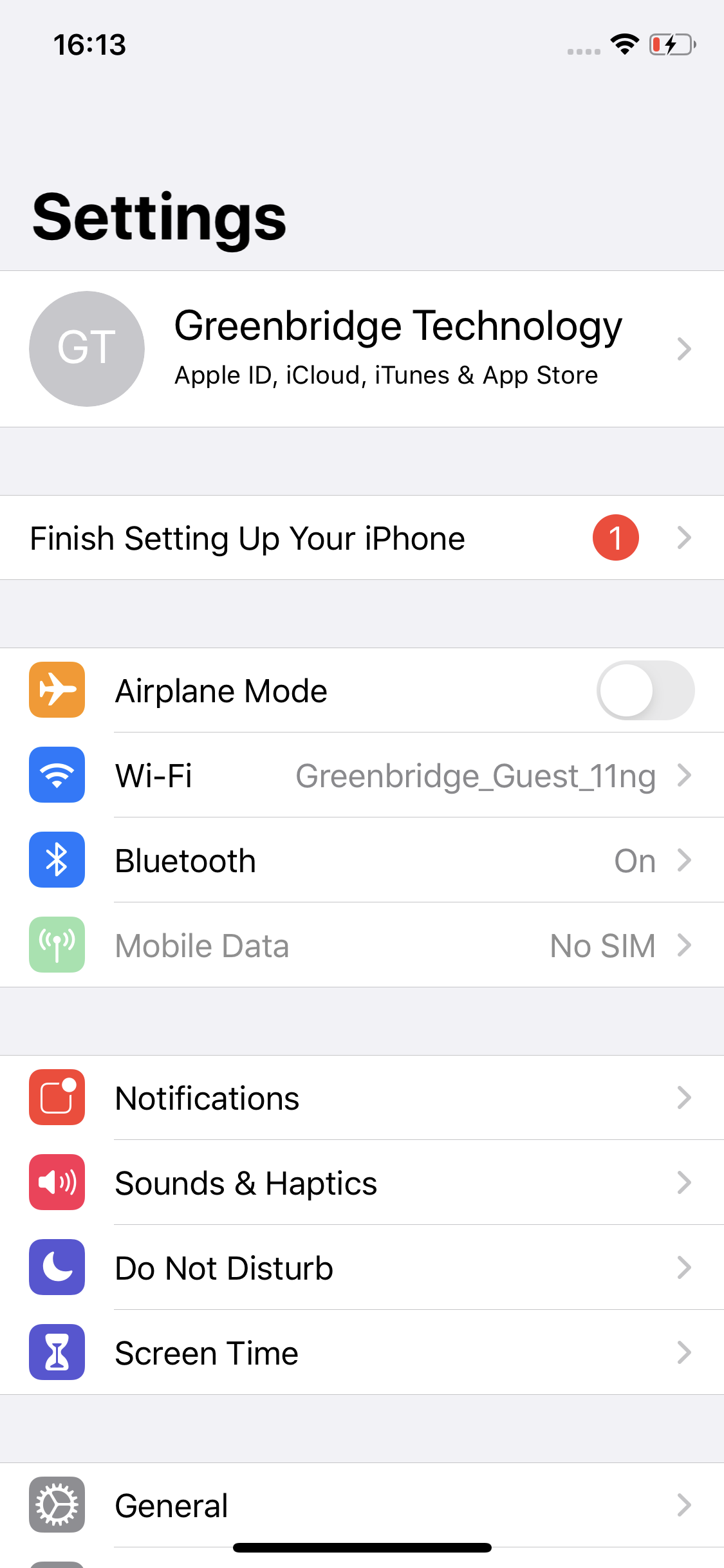
Open Apple Account
Tap the top option, this normally is your name or the name on your Apple account.
0
3
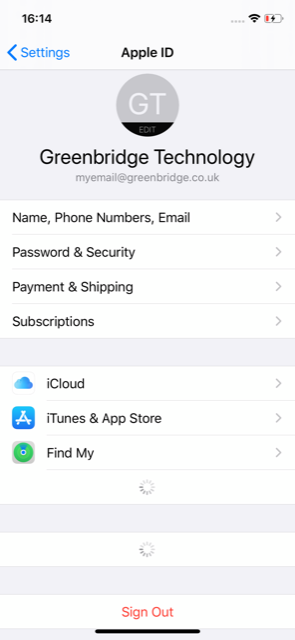
Open iCloud Settings
Tap on, ‘iCloud’ to open the related settings.
0
4
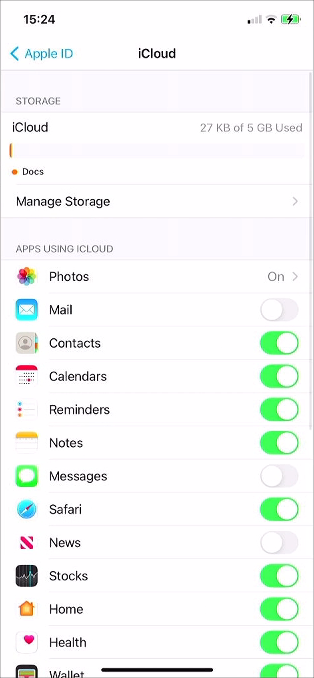
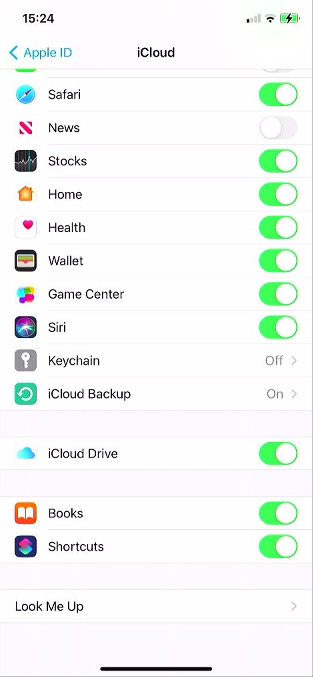
Scroll To Bottom
Scroll down in the list to find the option ‘iCloud Backup’.
0
5
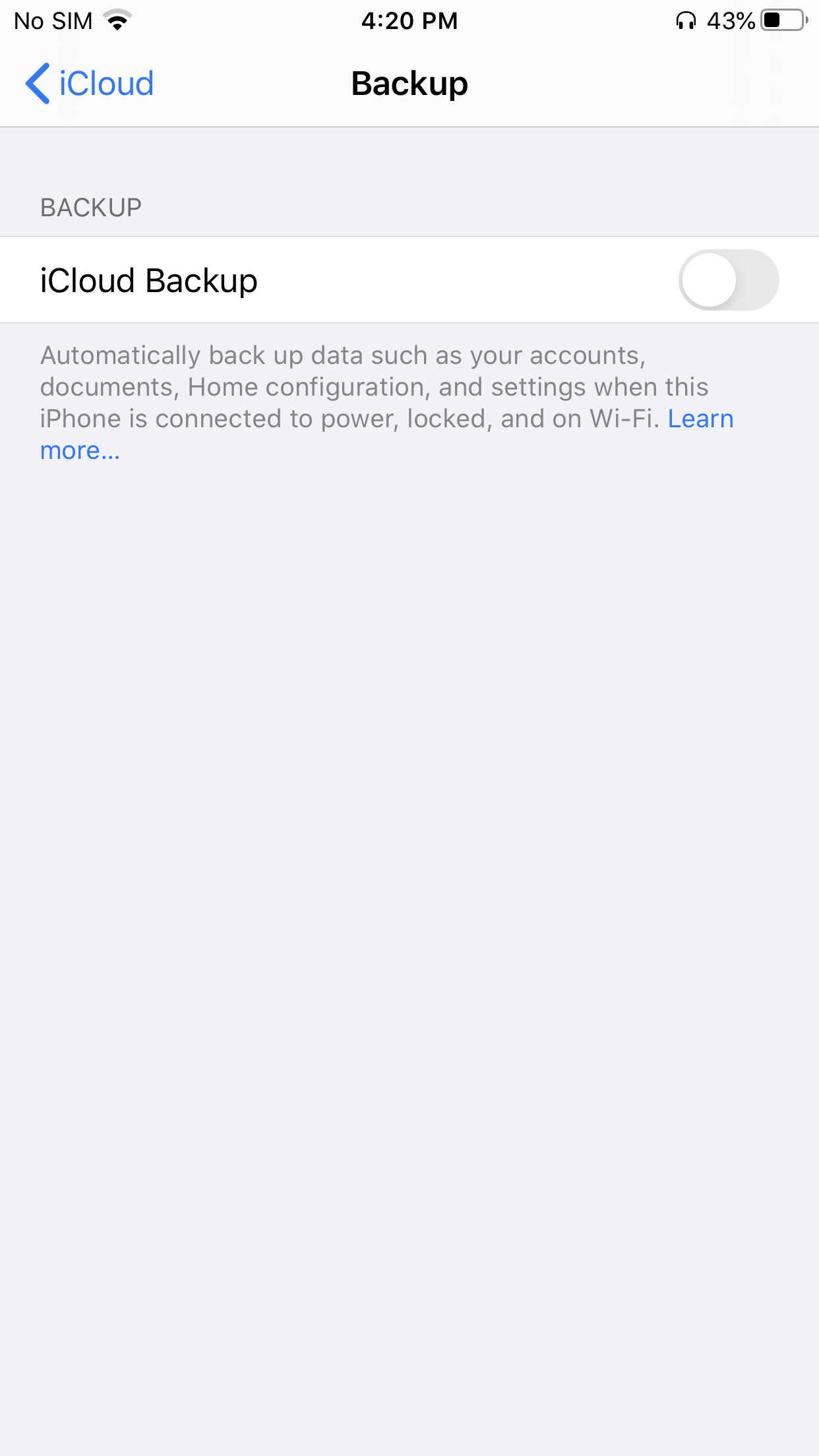
Open iCloud Backup
Tap ‘iCloud Backup’ to open the settings.
0
6
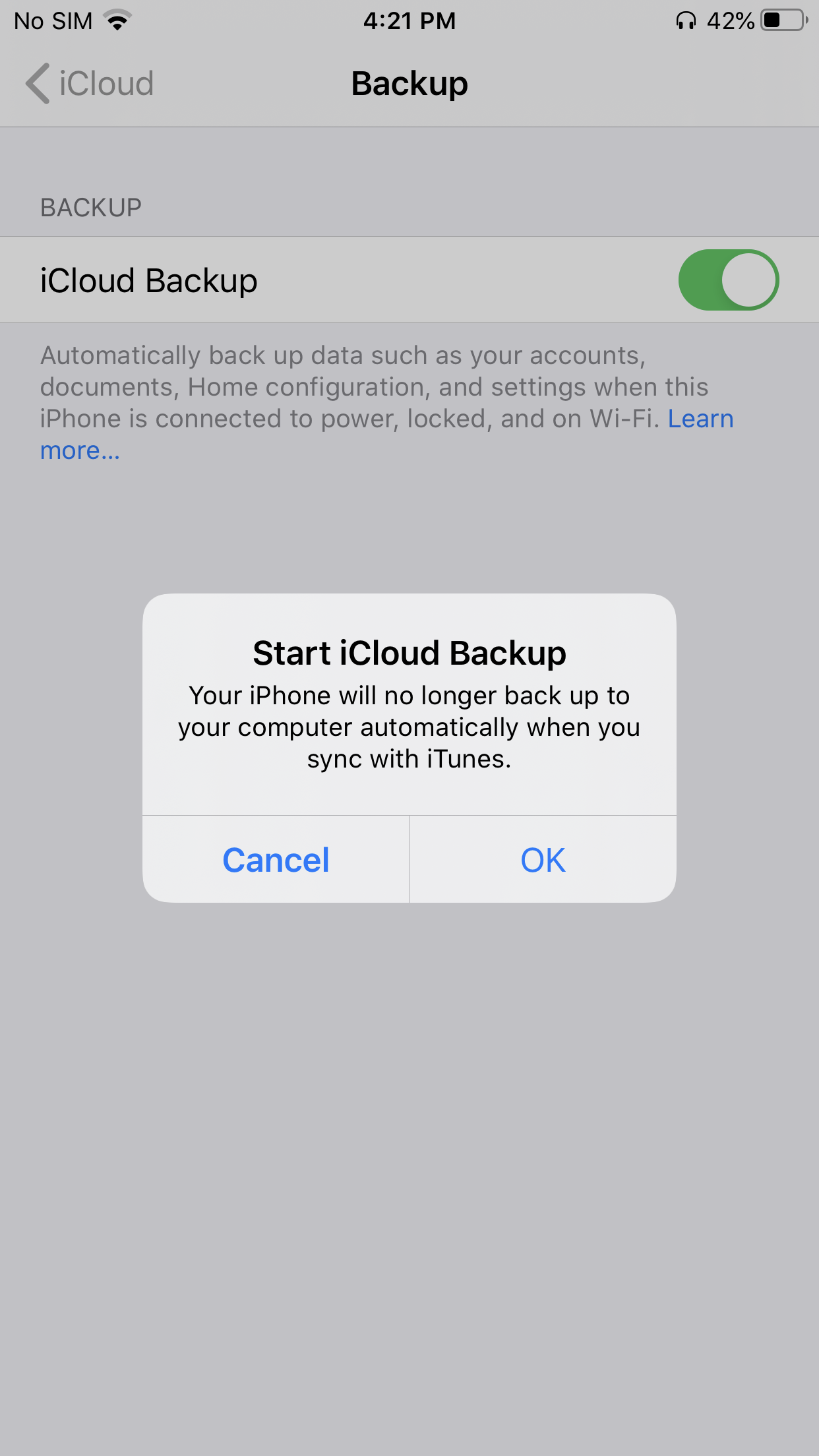
Enable iCloud Backup
If iCloud Backup is disabled on the device, tap on the toggle button to enable it.
0
7
Confirm Enabling Backup
To confirm enabling of iCloud backup tap, ‘OK’.
0
8
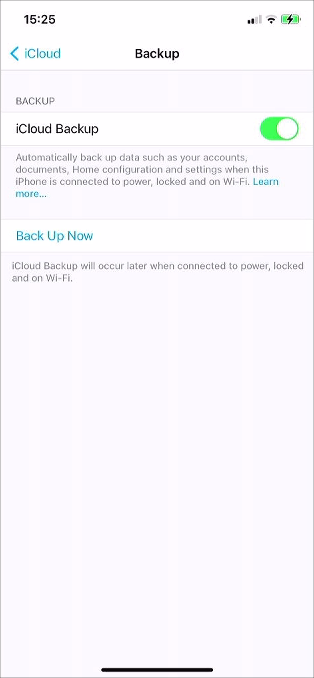
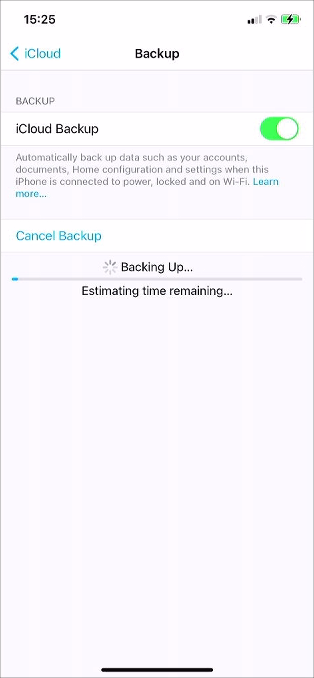
Backup Device
To begin backing up the device tap, ‘Back Up Now’.
0
9
Confirm Backup Finished
Before turning off the device wait for the backup to complete.