

0
1
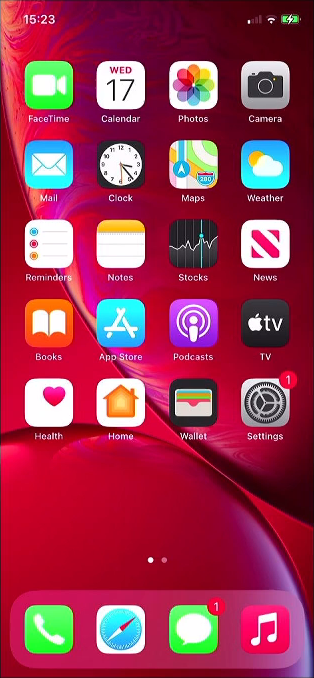
Open Settings
From the home screen tap, ‘Settings’ to open the device’s settings.
0
2
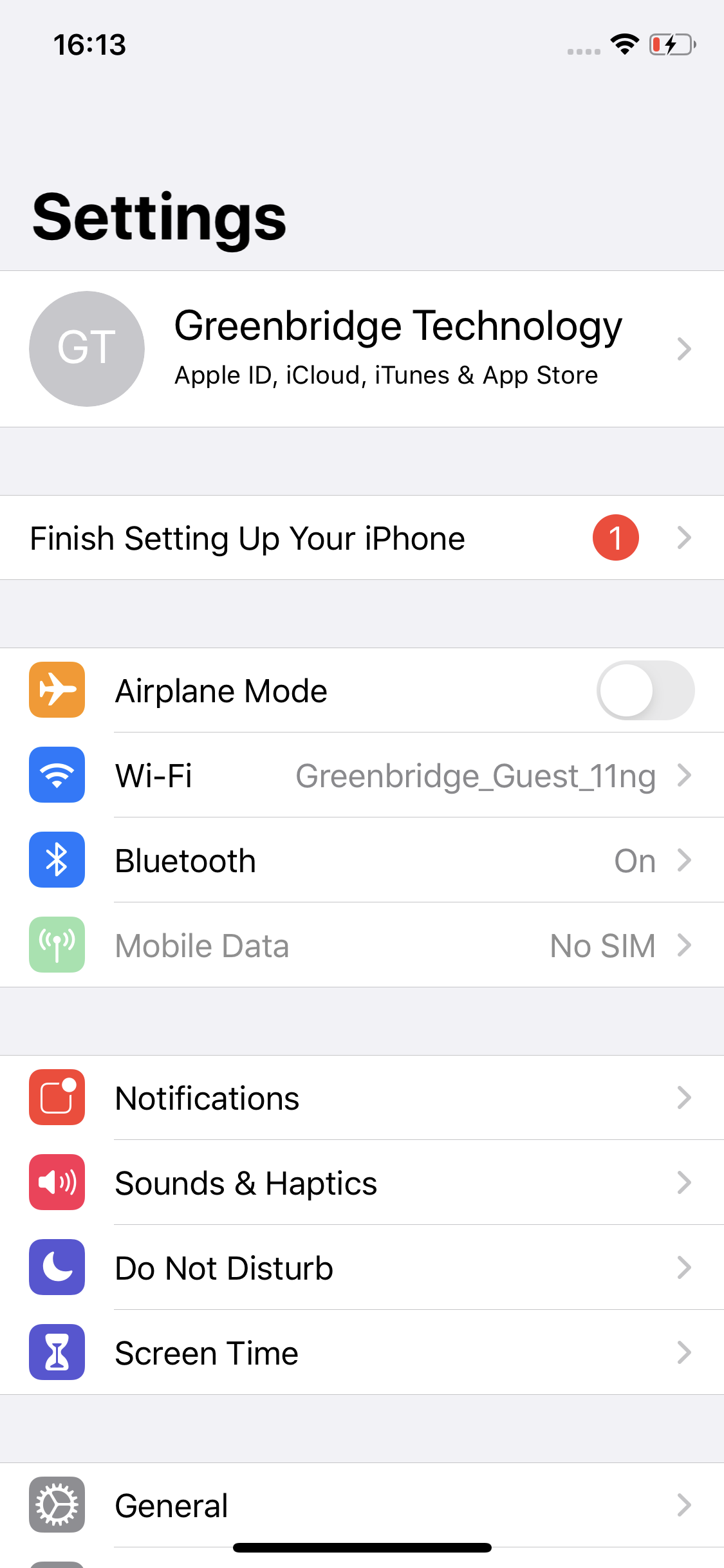
Open Apple Account
Tap the top option, this normally is your name or the name on your Apple account.
0
3
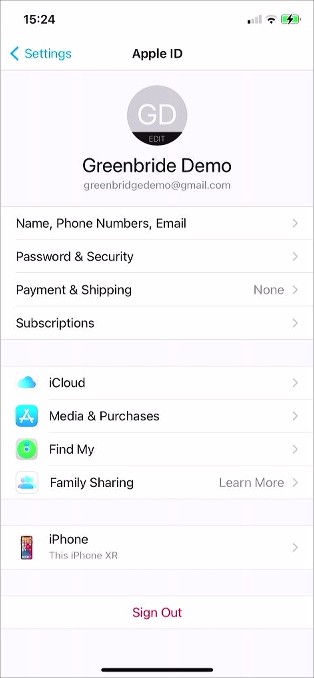
Open iCloud Settings
Tap on, ‘iCloud’ to open the related settings.
0
4
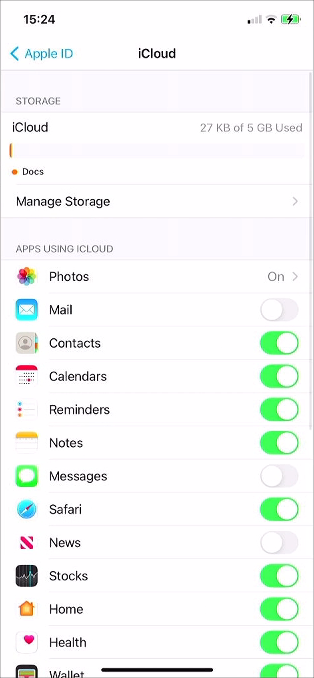
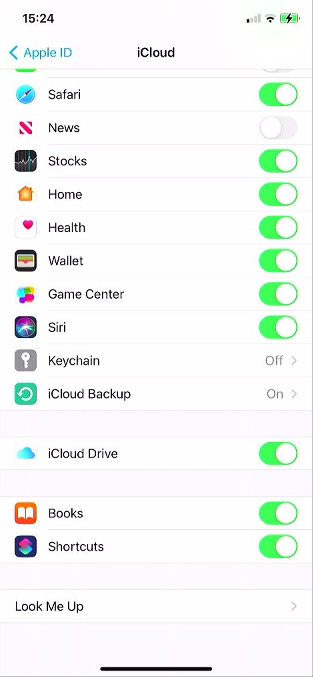
Scroll To Bottom
Scroll down in the list to find the option ‘iCloud Backup’.
0
5
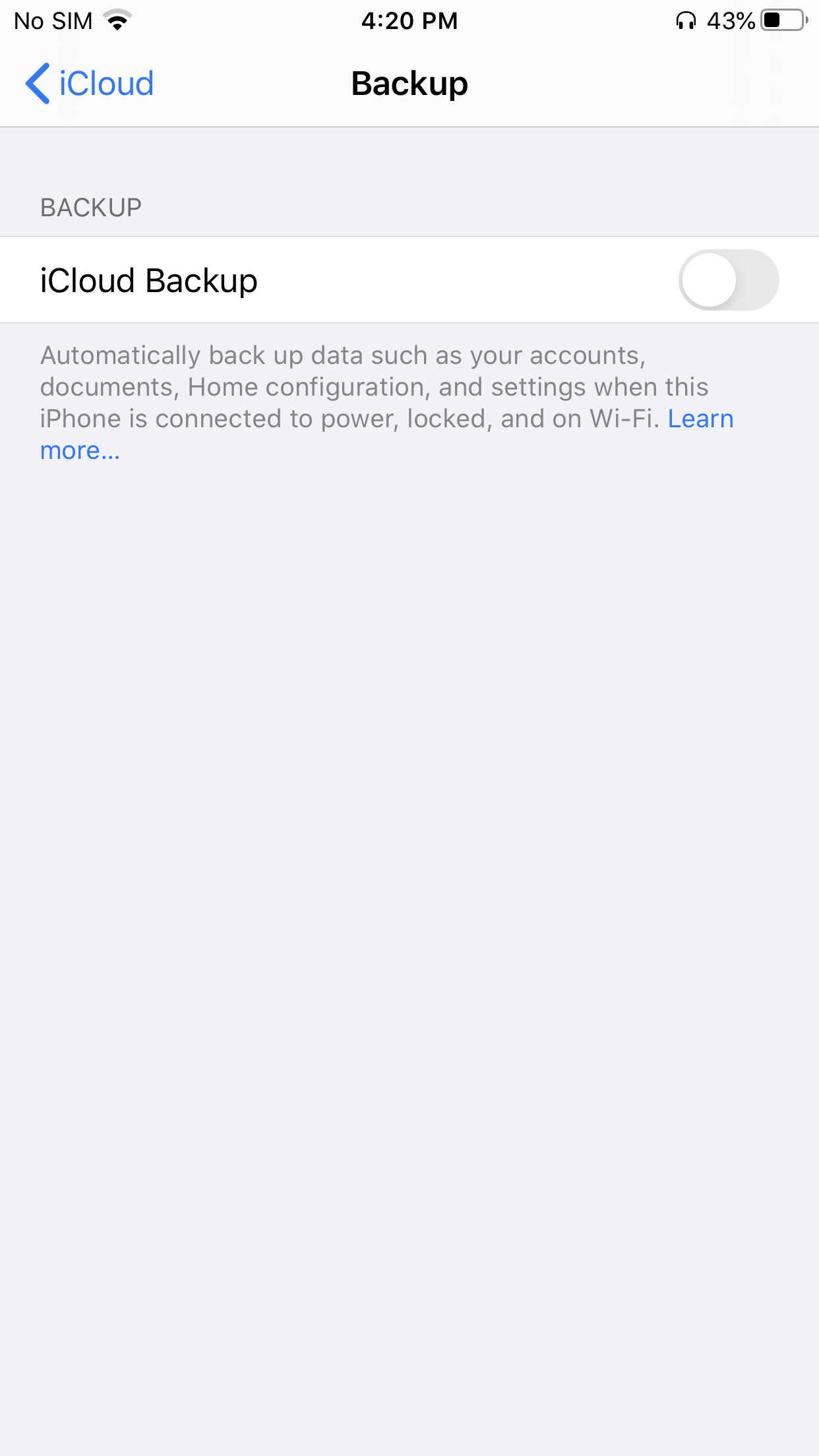
Open iCloud Backup
Tap ‘iCloud Backup’ to open the settings.
0
6
Enable iCloud Backup
If iCloud Backup is disabled on the device, tap on the toggle button to enable it.
0
7
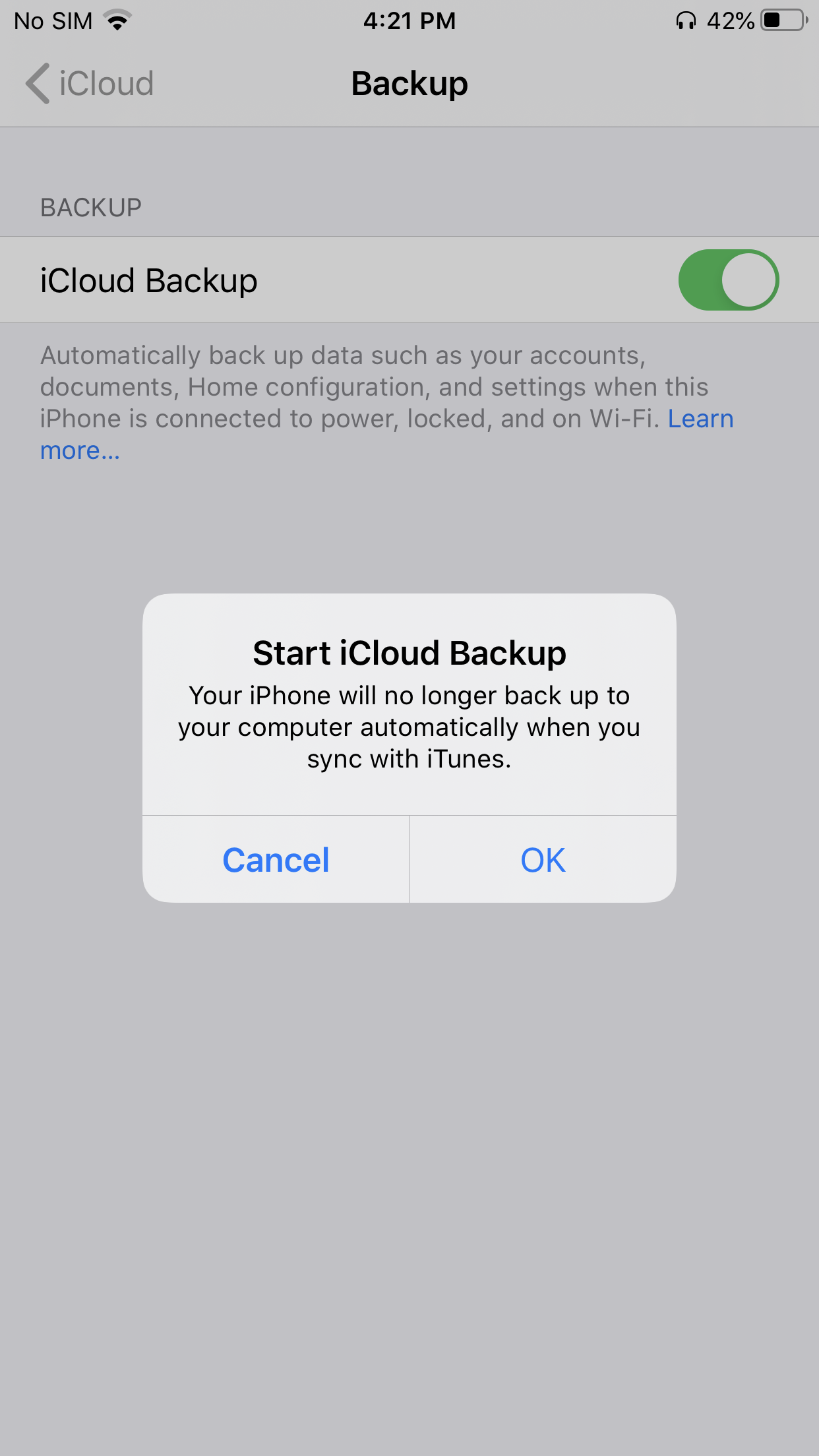
Confirm Enabling Backup
To confirm enabling of iCloud backup tap, ‘OK’.
0
8
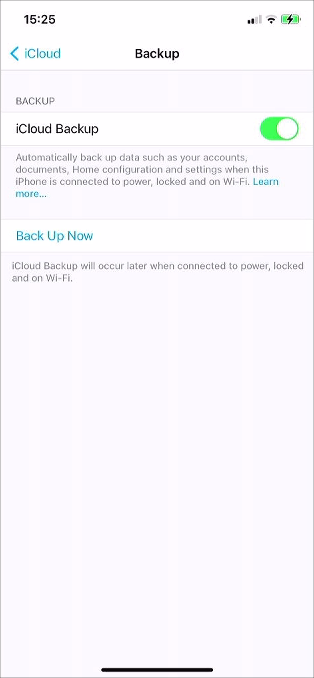
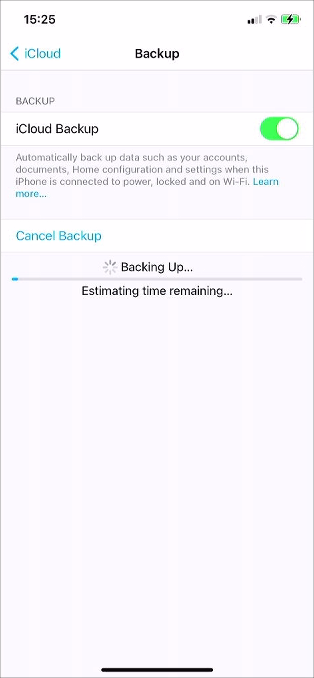
Backup Device
To begin backing up the device tap, ‘Back Up Now’.
0
9
Confirm Backup Finished
Before turning off the device wait for the backup to complete.

10
Remove Accessories
If you are sending your device in for repair, please remove any SIM cards and accessories. We also recommend you factory reset your device before we collect it. See here for instructions.